Open
Disk Toss: Precision Puzzle Game
Game

Disk Toss: Precision Puzzle Game

Puzzle Precision Arcade
Developer: Dash Ember Games
Published: 2024-07-15
Updated: 2026-07-04

Runs in your browser — no download required.

What players say

Disk Toss: Precision Puzzle Game offers a clean and engaging experience for players of all ages. The simple controls make it easy to start, while the increasing difficulty keeps you coming back for more. The colorful graphics and instant feedback create a satisfying loop. It is an ideal choice for casual gaming breaks.

About this game

Game Introduction

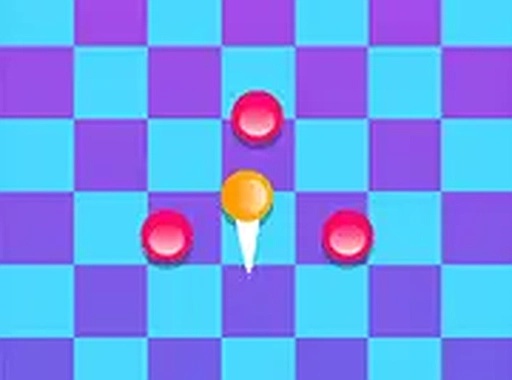
Disk Toss: Precision Puzzle Game is a colorful 2D puzzle experience that focuses on accuracy and timing. Players take on the challenge of clearing each level by tossing disks at specific targets. The core objective is to hit every pink target in a level to advance. As players progress, obstacles appear that can block throws or cause misses. This game is designed for players of all ages, offering a simple yet engaging experience. You can play directly in your browser on mobile or desktop with no downloads needed. The game provides instant feedback, making it easy to learn but challenging to master. Each level is short, making it perfect for quick gaming sessions. The increasing difficulty ensures that players can improve their aim and strategy over time. Disk Toss stands out for its clean, family-friendly design and straightforward mechanics that anyone can pick up quickly.

How to Play

To play, use your mouse or touch screen to aim and toss disks at the pink targets. Your goal is to clear every pink disk in the level to advance. Be mindful of obstacles that can interfere with your throws. Plan each shot carefully to avoid wasting disks and complete levels efficiently. The game gives instant feedback, allowing you to adjust your aim with each attempt. For a more immersive experience, you can play in full screen mode. The controls are intuitive, so you can start playing right away without a tutorial.

Game Features

Simple controls that anyone can learn quickly. Colorful 2D graphics that are easy on the eyes. Increasing difficulty that keeps the game challenging. Family-friendly content suitable for all ages. No downloads required – play instantly in your browser. Works on both mobile and desktop devices. Short levels that are perfect for quick gaming sessions. The game encourages players to improve their aim and strategy over time.

Tips for Success

Focus on accuracy rather than speed. Take your time to line up each throw carefully. Learn the patterns of obstacles to anticipate their movements. Practice regularly to improve your timing. If you miss a shot, adjust your aim and try again. With patience and practice, you can master each level.

Compatibility

▸ Desktop: Chrome / Edge / Firefox / Safari
▸ Mobile: iOS Safari / Android Chrome
▸ Tablet: iPadOS Safari / Android Tablet Browser
Keep your browser updated for the best experience
FAQ
Is Disk Toss: Precision Puzzle Game free to play?
Yes, the game is free to play directly in your browser. There are no hidden fees or downloads required. You can enjoy all levels without any cost.
Can I play Disk Toss on my smartphone?
Yes, the game is designed to work on both mobile and desktop devices. You can play using touch controls on your smartphone or tablet, as well as with a mouse on a computer.
Does Disk Toss have a time limit for each level?
The game does not specify a time limit. You can take as much time as you need to aim and toss each disk. This allows you to focus on accuracy and strategy without feeling rushed.
What happens if I run out of disks in a level?
If you run out of disks before clearing all pink targets, you may need to restart the level. The game encourages careful planning to use disks efficiently and avoid waste.
Are there different difficulty modes in Disk Toss?
The game features increasing difficulty as you progress through levels. While it does not specify separate difficulty modes, the challenge naturally grows with more obstacles and complex layouts.
Can I save my progress in Disk Toss?
Since the game is played directly in a browser, progress may be saved locally on your device. However, it is best to complete levels in one session to avoid losing progress if you close the browser.
Advertisement

Guess You Like