
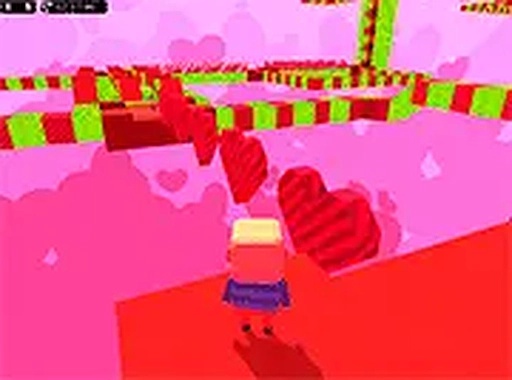
Kogama Valentine Parkour Arcade
Reviews
Kogama Valentine Parkour Arcade delivers short, festive platforming courses that emphasize timing and precision over complexity. The checkpoint system and simple keyboard controls make it approachable for casual players, while moving blocks and spikes offer enough challenge for parkour fans. Its browser-based format and family-friendly theme suit quick sessions. The main limitation is the lack of depth implied by the short level design, but that same brevity keeps it easy to pick up and replay.
About this game
Valentine's Day Meets Parkour
Kogama Valentine Parkour Arcade is a free 3D browser-based platformer that combines festive Valentine's Day visuals with classic parkour challenges. Levels are built around romantic, colorful settings filled with platforms, obstacles, and traps. The goal in each course is straightforward: reach the finish line. The game runs directly in a web browser and requires no downloads or installations. Its cheerful environment celebrates love and friendship, making it suitable for players of all ages. The short level design and simple controls aim to provide an accessible yet engaging experience for casual players and parkour enthusiasts alike.
Controls and Core Mechanics
Players control their character using standard keyboard inputs such as arrow keys or WASD to move, and a jump key to leap over gaps and obstacles. The objective is to traverse each level by jumping between platforms while avoiding hazards like moving blocks and spikes. Timing and precision are key to successfully navigating the courses. A checkpoint system allows players to continue from their last landing point if they fall, reducing frustration. The game is designed for desktop play, with mouse controls available to adjust the camera perspective for better visibility.
Obstacles and Level Flow
Each course presents a series of platforms and traps that test timing and agility. Moving blocks and spikes require players to observe patterns before attempting to cross. The checkpoint system breaks levels into manageable sections, so a fall does not send you back to the start. This structure supports a learn-by-doing approach: you can focus on one section at a time, adjust your camera angle with the mouse to see upcoming platforms, and replay levels to refine your route. Full screen mode is available for a more immersive experience.
Tips for Navigating the Courses
Practice your jumps to learn the timing needed for each obstacle. Watch the movement patterns of blocks and spikes before you commit to a crossing. Use checkpoints to your advantage by treating each section as a separate challenge. Adjust the camera with the mouse to get a better view of what lies ahead. If you feel frustrated, take a short break; patience often improves accuracy. Replaying levels helps you discover the most efficient path to the finish.
Compatibility
FAQ
Comments
Sign in to leave a review
No comments yet.




Editorial Notes