
Box Seat · Match card
Alright Physics Puzzle Game
Reviews
Alright Physics Puzzle Game combines classic pong mechanics with puzzle solving. Each level requires you to break all blocks with a single ball. The physics are consistent and rewarding. Planning your angle and trajectory is key. It is free, browser-based, and perfect for short play sessions. The difficulty ramps up nicely, keeping you engaged without frustration.
About this game
Game Introduction
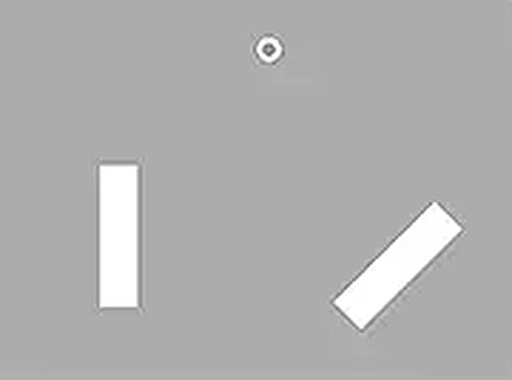
Alright Physics Puzzle Game is a physics-based puzzle game that challenges your aim and logical thinking. The core objective is to break all the blocks in each level using a single ball. What makes this game unique is its blend of classic pong-like mechanics with puzzle-solving elements. Players must carefully plan the ball's angle and trajectory, as each block is placed in a tricky position. The game offers a rewarding experience for those who enjoy thoughtful, precision-based challenges. It is available to play free online in your browser.
How to Play
To play Alright Physics Puzzle Game, you use your mouse to aim the ball and click to launch it. The ball bounces off walls and blocks, destroying any block it hits. Your goal is to break all blocks in each level with just one shot. Plan your angle carefully, as the ball's trajectory depends on your aim. Think ahead about how the ball will bounce and which blocks it will hit. If you miss any blocks, you will need to restart the level. The game is designed for desktop play, so use a keyboard or mouse for the best experience. You can also play in full screen mode for a more immersive view.
Game Features
Physics-based puzzles. Single-ball mechanics. Tricky block placements. Free browser play. Each level is a new puzzle that requires careful aim. The game is easy to start but hard to master. It offers a fun and engaging challenge for puzzle lovers. Its simple yet clever gameplay is a great way to test your problem-solving skills. Play it now online and enjoy hours of block-busting fun.
Tips for Success
To succeed in Alright Physics Puzzle Game, focus on planning your shot before launching the ball. Study the arrangement of blocks and predict how the ball will bounce off walls and obstacles. Aim for angles that allow the ball to hit multiple blocks in one trajectory. Practice regularly to improve your precision and understanding of the physics. If you fail a level, take a moment to analyze what went wrong and adjust your strategy. Patience and careful observation are key to mastering each puzzle.



Comments
Sign in to leave a review
No account? Create one
No comments yet.