What players say
Spooky Parkour 3D offers a lighthearted spooky theme with bright graphics and smooth controls. The crystal collection adds a scoring challenge, and comparing times with friends increases replay value. It is free and easy to play in a browser, making it a great choice for casual gamers.
About this game
Game Introduction
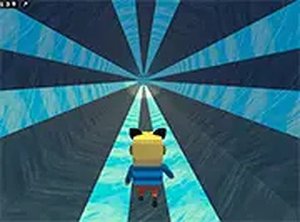
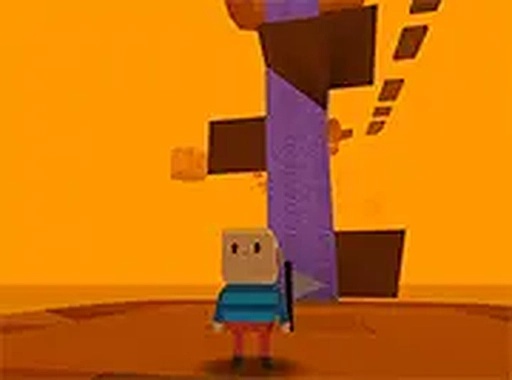
Spooky Parkour 3D is an online arcade game that combines classic parkour movement with a lighthearted spooky theme. Players guide a character through a series of platforms filled with moving traps, acid pools, and tricky gaps. The main goal is to collect shiny crystals scattered throughout each level while avoiding hazards. The game features bright 3D graphics and a family-friendly atmosphere suitable for all ages. It is free to play directly in a web browser without any downloads. Multiple levels offer increasing difficulty, keeping the gameplay fresh and engaging. Players can also compare scores and times with friends, adding a competitive element.
How to Play
To play, use a keyboard and mouse on a desktop computer. The arrow keys or WASD control movement. Press the spacebar to jump over obstacles and acid pools. The objective is to collect as many crystals as possible while reaching the end of each level. Watch out for moving traps and gaps that require precise timing. The game includes multiple levels with increasing difficulty, so plan jumps carefully. Full screen mode is available for a more immersive experience. Players can compete with friends by comparing scores and times to see who is the ultimate parkour champion. Practice helps master each spooky challenge.
Game Features
Features include spooky obstacles like moving platforms and acid pools. Crystal collection adds a scoring element. Competitive multiplayer fun allows players to compare scores and times. The game offers multiple levels with increasing difficulty. It is free to play online without downloads. Colorful 3D graphics create a family-friendly atmosphere. Full screen mode enhances the gaming experience.
Tips for Success
Focus on timing your jumps carefully to avoid moving traps and gaps. Collect all crystals for a higher score. Practice each level to learn the layout and improve your speed. Compare your times with friends to motivate improvement. Use full screen mode to reduce distractions. Stay patient—some obstacles require multiple attempts to master.